Change Your Personal Language
Change the display language of the portal to match your preferences. Your personal language setting overrides the portal's default language.
NOTE: This option is only available if multiple languages are enabled for the portal. If multilingual support is disabled, the default language set by the administrator is used.
Change Your Language
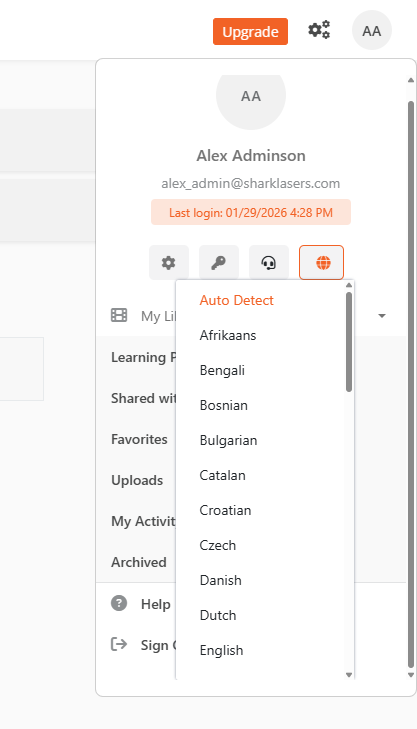
- From the Portal's Homepage, select the User icon in the top right corner.
- In the panel that opens, select the Language Preference icon.
- In the Language dropdown, select your desired language.
The portal now displays in your selected language.
For anonymous users (if allowed by the portal's security policy), select the Globe icon next to the Sign In button to change the language. Anonymous access is not available in VIDIZMO Digital Evidence Management (DEMS).